From a Limited Demo Tool to Checking Engagement Rate for Hundreds of KOLs at Once, Free
Case study: a free, bulk KOL engagement rate tool for influencer marketing, built with Google Sheets, Apps Script, and Meta's official Instagram Graph API.
- Client
- KOL/influencer marketing agency
- Role
- Automation Engineer
- Tools
- Instagram Graph API (Meta), Google Apps Script, Google Sheets
- Duration
- 3 hours
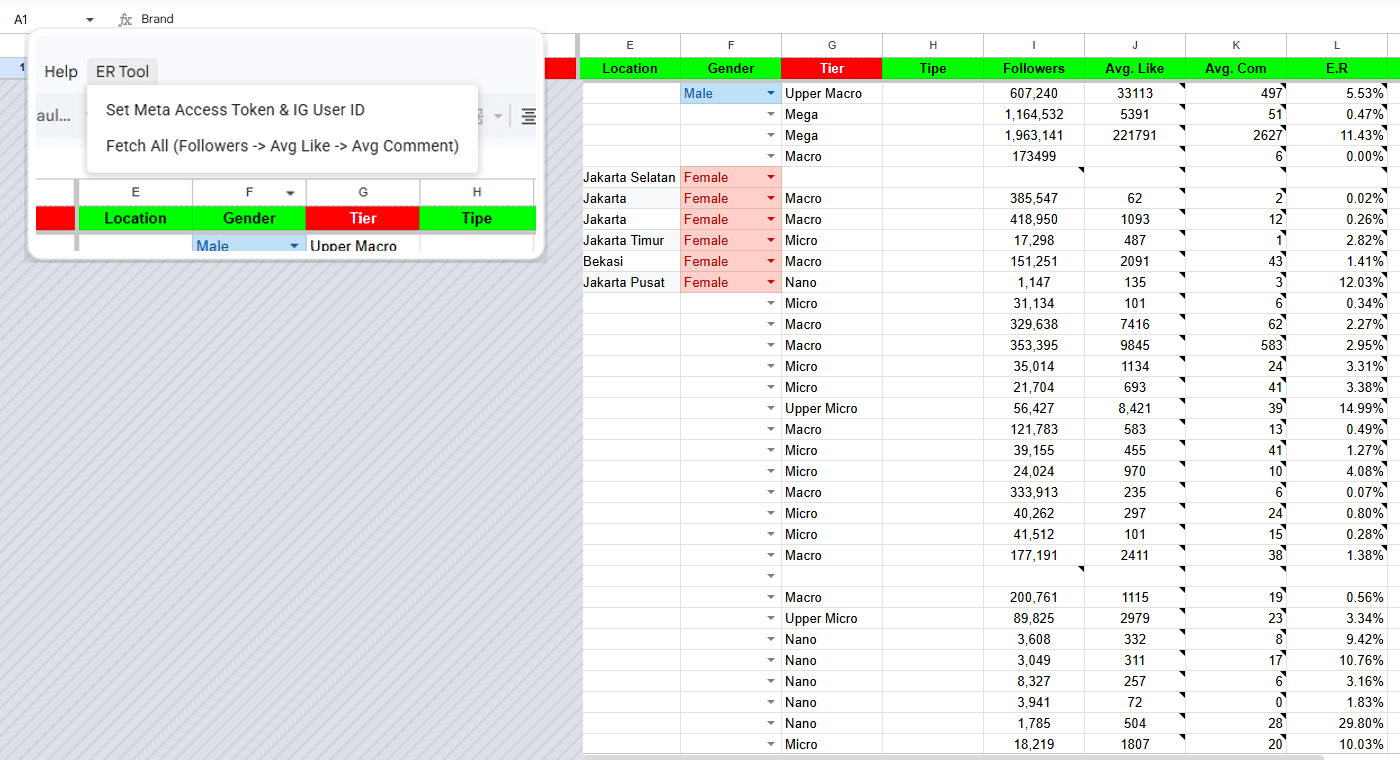
Choosing which KOLs, short for key opinion leaders, the term used across Southeast Asia for social media influencers, to work with always comes down to checking engagement rate. When I went looking for a tool to check it, almost everything was paid. Even the free ones were just demos: capped at a handful of accounts, then you'd hit the wall and have to switch to another tool.
So I ended up building my own, KOL Engine, working straight from the KOL list already sitting in Google Sheets. Click one button, and followers, average likes, average comments, and engagement rate all come out at once for every account, no switching tabs and no copy-pasting.
The problem: paid tools, or free but limited
To pick the right KOLs for a campaign, engagement rate is one of the numbers checked most often. The problem is, the tools out there for it:
- Are mostly paid, usually per account or per credit.
- The ones with a free tier are just demos: capped at a handful of accounts, and once the quota runs out you have to find or switch to another tool.
- The process runs one at a time: open the tool, enter a username, record the result, switch tabs, repeat for the next KOL.
If the KOL list is just five names, that's manageable. But once it's dozens or hundreds, this copy-pasting is what eats the most time, not the actual analysis.
The approach: use Meta's official API, not a third-party tool
Engagement rate really only needs three numbers: followers, average likes, and average comments from the most recent posts. Those numbers can actually be pulled directly from Meta's own Instagram Graph API, with no third-party tool involved at all.
So instead of paying for a tool or relying on a free demo, I built a connection to that API myself using Google Apps Script, straight from the sheet that already held the KOL list.
- 1KOL listBrand, campaign, link, and username already in Sheets
- 2Set tokenMeta access token & IG User ID saved once in the ER Tool menu
- 3Click Fetch AllApps Script calls the Instagram Graph API per account
- 4Followers, Avg Like, Avg ComFilled in automatically for every row
- 5Engagement rate calculated automatically
What I built
An existing KOL list, ready to fetch
The KOL data already collected for campaigns, brand, link, and username, stays in the same sheet. I just added columns for the results: followers, average likes, average comments, and engagement rate. KOL tiers from Nano to Mega also show up based on their follower count.
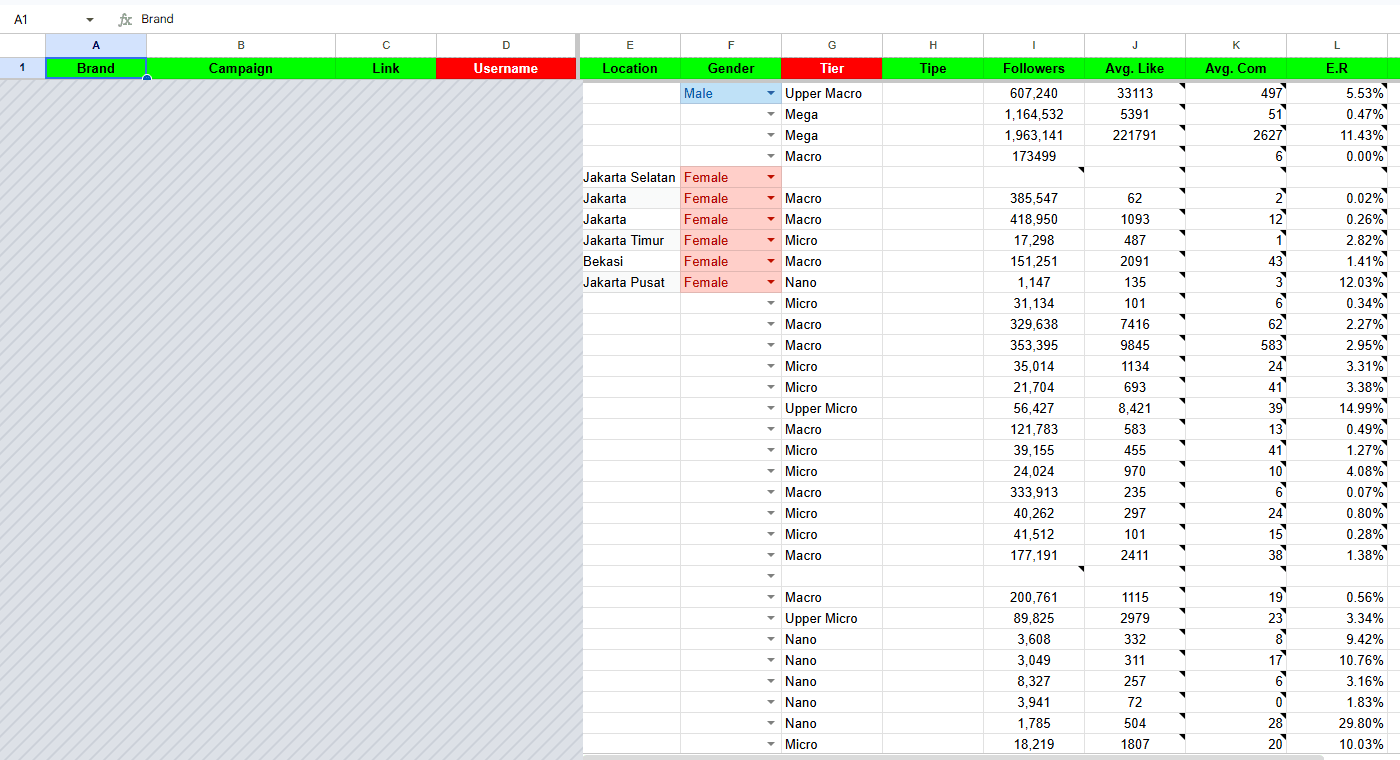
One menu, one button, many accounts at once
Every control lives in the custom ER Tool menu in Google Sheets. The Meta access token and IG User ID are entered once via Set Meta Access Token & IG User ID, and after that it's just a click on Fetch All to pull followers, average likes, and average comments for every row at once. Engagement rate is calculated automatically with a formula in the same sheet.
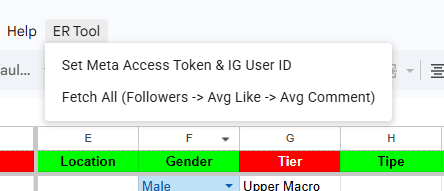
The limits: business or creator accounts only, and a token that needs renewing
There are two limits I accepted as the trade-off for a free tool like this:
The Instagram Graph API can only read data from professional accounts (Business or Creator), not regular personal accounts. That's not a limit of the tool itself. Meta has simply closed off API access for personal accounts entirely in recent times, whether through a Business or Creator account (keyapi.ai).
Since this isn't a Meta App that's passed App Review, the access token it uses is a long-lived token that only lasts 60 days before it has to be regenerated through the Set Meta Access Token & IG User ID menu (Meta for Developers' official docs).
Results
Before
- Relying on free/demo tools capped at a handful of accounts
- Switching tools every time the demo quota ran out
- Checking one at a time: open the tool, enter a username, record it, switch tabs, repeat
After
- Click one button, many accounts at once, in minutes
- Followers, Avg Like, Avg Comment, and E.R come out automatically in the same sheet
- Zero cost, since it goes straight to Meta's official API
- API cost, no tool subscription
- Rp0
- Time to build, from zero to running
- 3 hours
- Access token lifespan before it needs regenerating
- 60 days
Reflection
Since I'd already built a SaaS product before, the technical part was fast: this tool came together in about 3 hours. The more valuable part was the lesson: sometimes the most efficient solution isn't the most sophisticated one, but the one that goes most directly to the source, here Meta's official API, not a third-party tool that's just a middleman.
Is your team still doing something by hand?
Tell me about it, and let's find the fix together.
More case studies
 AI & Automation
Social media agency
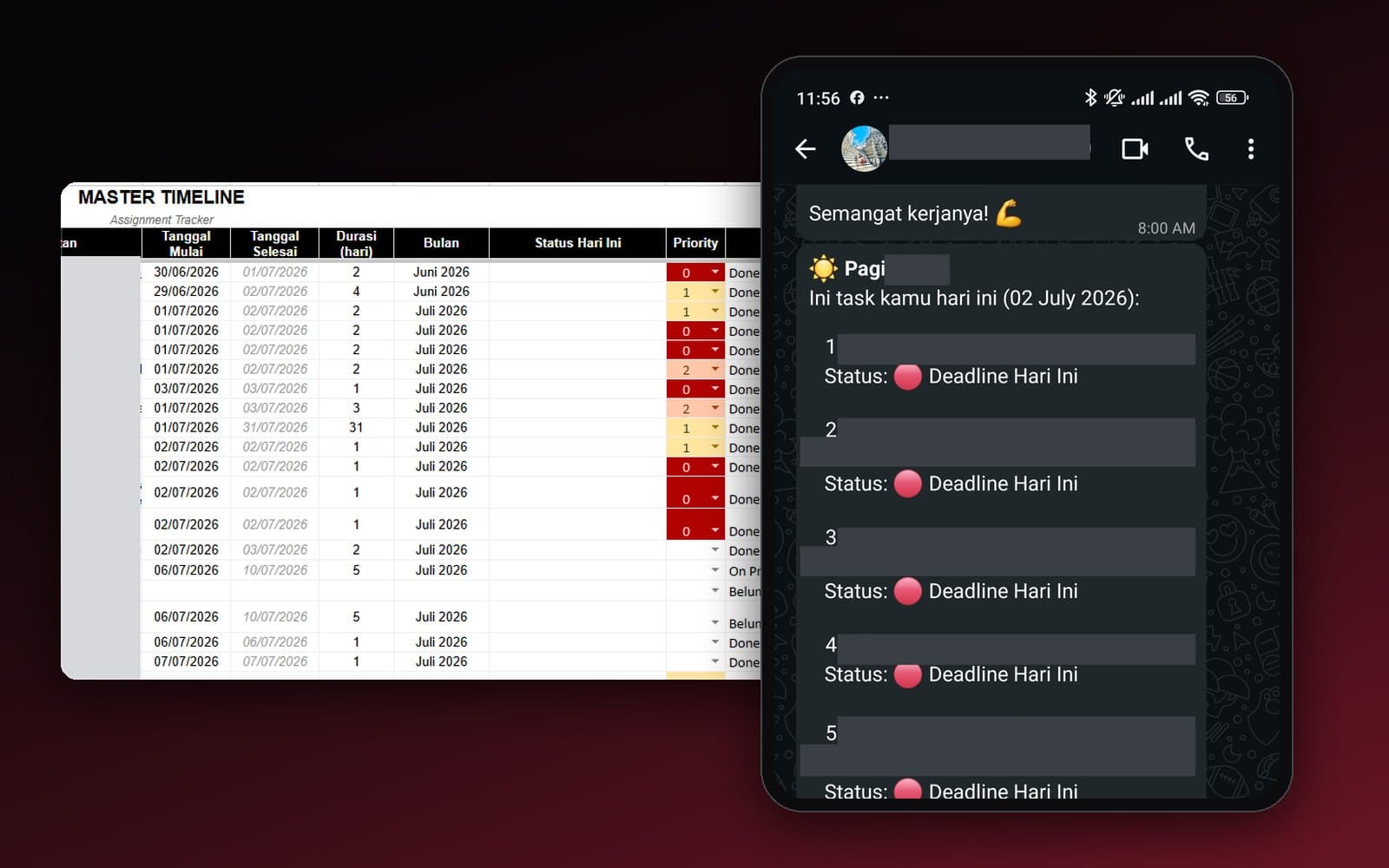
Team Task Reminders Over WhatsApp, Weekly to One-Off, Managed From One Place
Weekly, monthly, and one-off task reminders sent automatically to the team's WhatsApp every morning, with settings the team can change themselves in the sheet, no developer needed.
Read case study AI & Automation
Retail business
Thousands of WhatsApp Chats, a Two-Person Team: Letting the Owner Monitor Without Reading Everything
The owner gets an automatic recap every night at 9pm covering closed deals, complaints, and follow-ups, without reading every chat one by one.
Read case study