From Manual Sheets to a Co-Living Finance System with Automatic WhatsApp Reminders
Case study: a finance system for Anantara Co-Living, a premium kos in Indonesia, with invoices, payment tracking, receipts, and automatic WhatsApp reminders.
- Client
- Anantara Co-Living
- Role
- Full Stack Developer
- Tools
- Google Apps Script, Google Sheets, WhatsApp API, Google Drive, Google Sites
- Duration
- 1–2 months
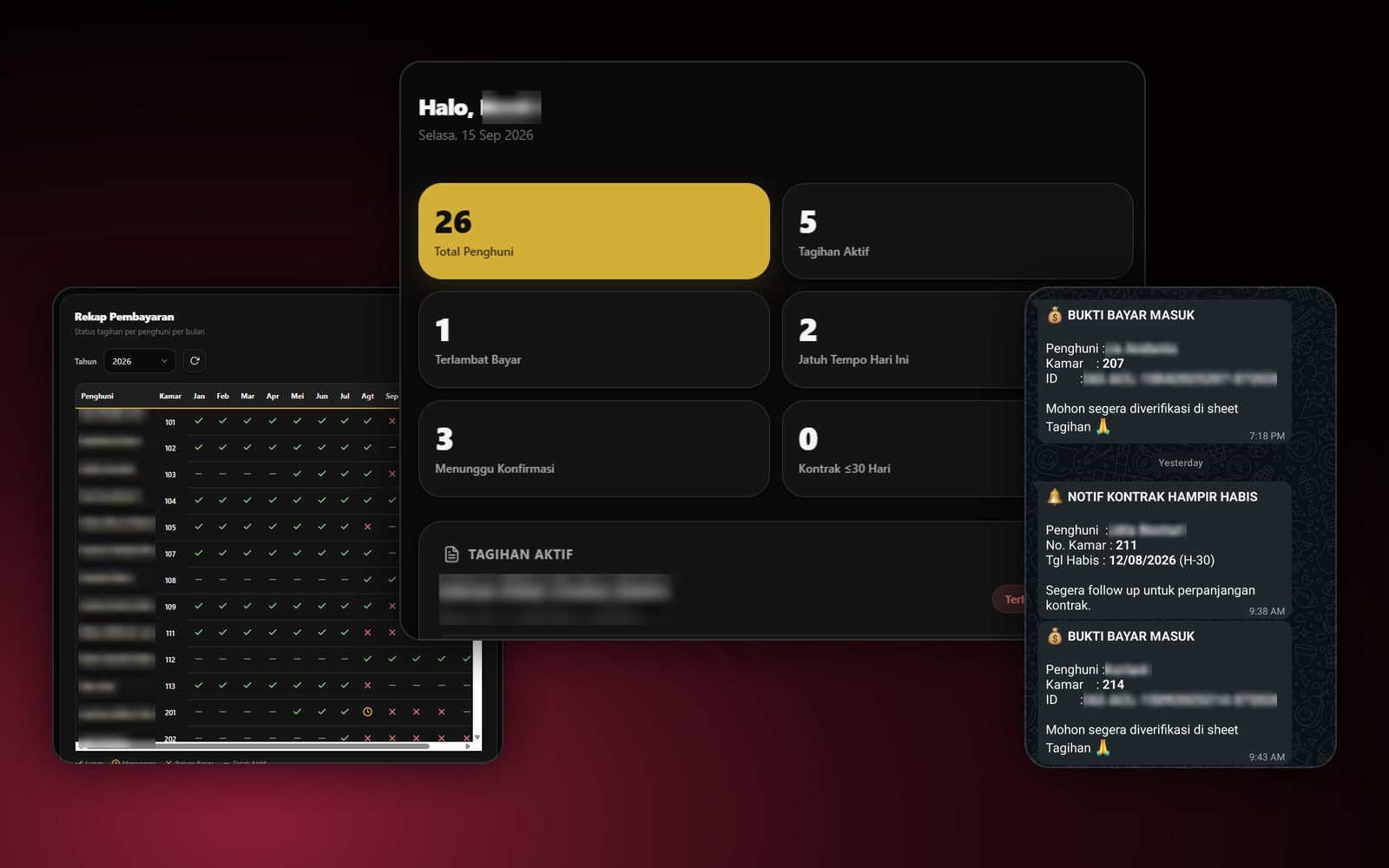
Anantara Co-Living is a premium kos, the Indonesian take on a boarding house where tenants rent furnished rooms by the month. It has dozens of tenants paying rent every month, and until recently every invoice and payment was recorded by hand in Google Sheets.
I built a finance system on top of Google Apps Script and Google Sheets, with a dashboard, automatic invoices, a payment summary, and the WhatsApp API sending reminders to both tenants and the management team.
The problem: every payment status lived in a spreadsheet row
With dozens of tenants and invoices every month, keeping records by hand turned simple questions into slow ones: who has paid this month, who is late, which transfer receipts haven't been checked, and whose contract is about to end. Each answer meant searching and cross-checking row by row.
Reminding tenants and following up on contracts also depended on the managers remembering to check the spreadsheet at the right moment.
The approach: keep Sheets as the database, automate the workflow
I didn't move the data into a new app. Google Sheets stayed the database the team already knew. On top of it I built a web app with Google Apps Script, hosted on Google Sites, and used the WhatsApp API for every notification.
- 1Invoices createdThe admin generates invoices up to 12 months ahead
- 2Tenant remindersWhatsApp messages before, on, and after the due date
- 3Payment proof arrivesThe managers get a notification to verify it
- 4Receipt sentA link to the receipt in Google Drive goes to the tenant
What I built
Admin dashboard
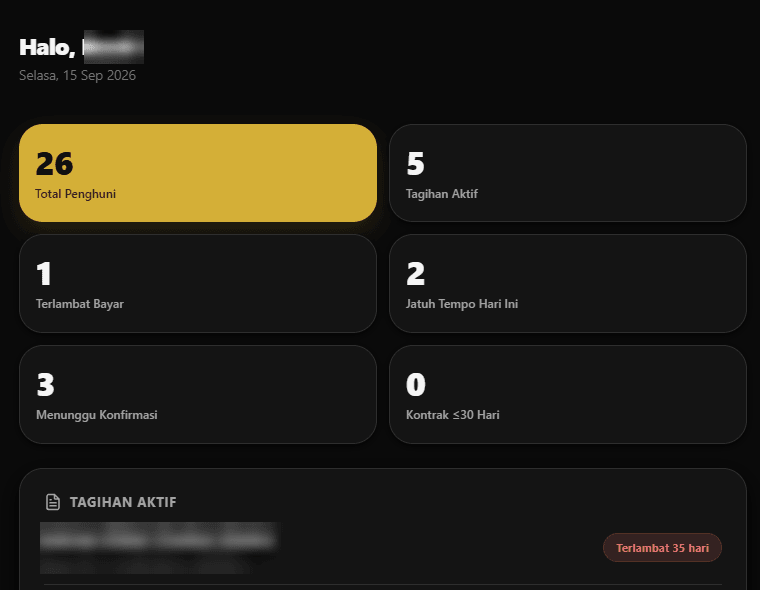
The moment they log in, admins see the property's finances for the day: total tenants, active invoices, late payers, invoices due today, payment proofs waiting for confirmation, and contracts ending within 30 days. Below that is the list of active invoices, showing how many days each one is overdue.
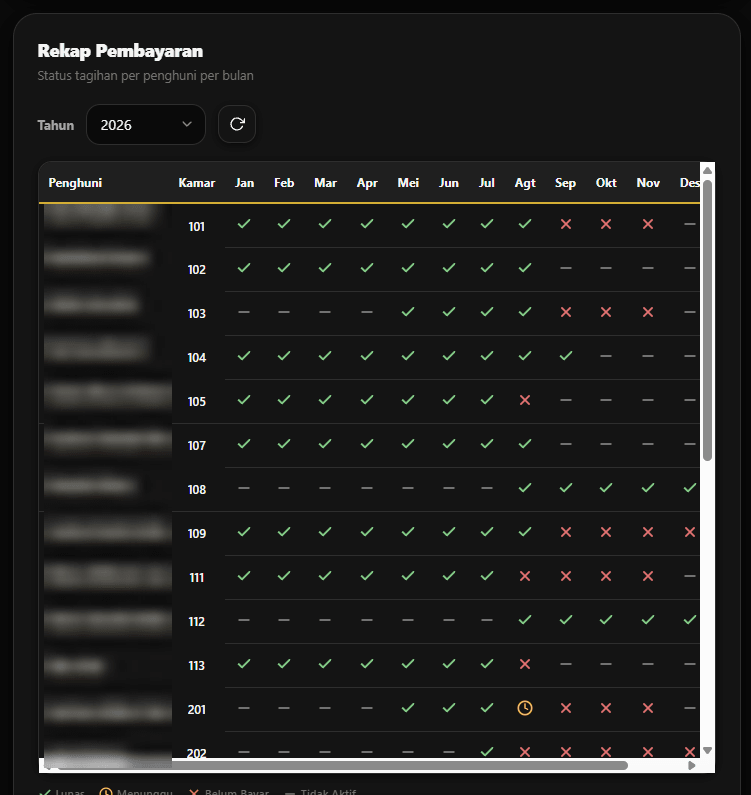
Payment summary per tenant per month
This summary replaced scrolling through the spreadsheet. Every tenant gets one row with a status for each month: paid, awaiting confirmation, unpaid, or inactive. Late-payment patterns are visible at a glance, without opening records one by one.
Invoices created in advance
Admins can create invoices for the next 1, 2, 3, 6, or 12 months in one go, and approve all of a tenant's invoices with a single click. The app works on a phone, with logins for each role.
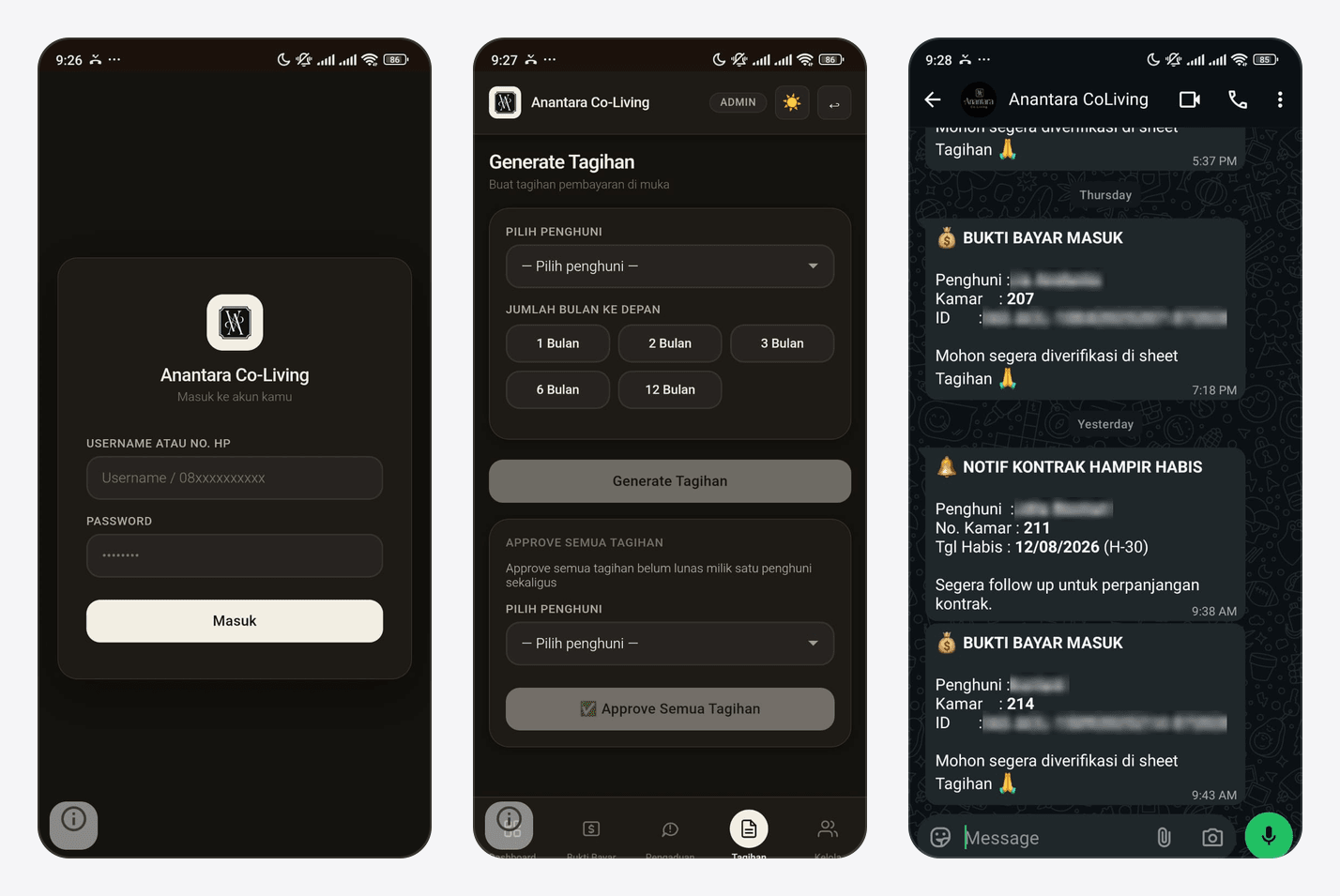
Automatic WhatsApp messages for the management team
The managers no longer need to keep opening the spreadsheet to find out what needs their attention:
- Payment proof received: with the tenant, room number, and invoice ID, so it can be verified straight away in the Invoices sheet.
- Contract ending soon: sent 30 days before the lease ends, so renewals can be followed up early.
Automatic WhatsApp messages for tenants
Tenants get the information they need without anyone chasing them by hand:
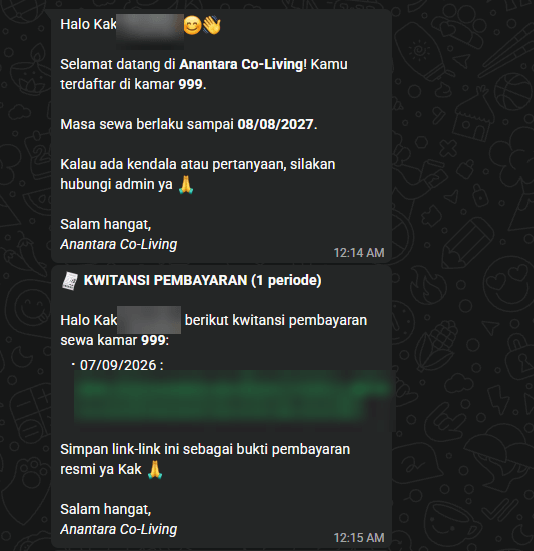
- A welcome message when they're registered, with their room number and lease period.
- A reminder before the due date, the invoice on the due date, and a reminder when a payment is late.
- A payment receipt once the payment is verified, as a link to a file in Google Drive they can keep as official proof.
Complaint form
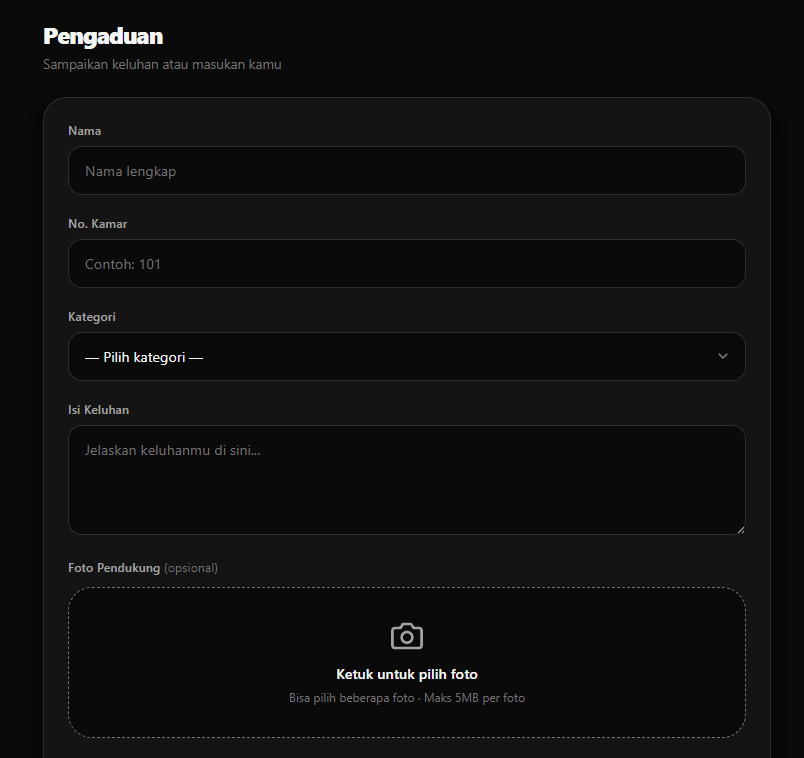
Tenant complaints go into the same system through a complaint form: name, room number, category, the complaint itself, and a supporting photo. Complaints no longer get lost in private chats.
Results
Before
- Invoices and payments recorded by hand in Google Sheets
- Each tenant's payment status found by searching row by row
- Reminders and contract follow-ups depended on the managers' memory
After
- A dashboard and a payment summary per tenant per month
- Due-date reminders and receipts sent automatically over WhatsApp
- The team is notified of new payment proofs and of contracts ending in 30 days
- Active tenants whose invoices run through the system
- 26
- Types of automatic WhatsApp messages for tenants
- 5
- Advance notice to the team before a contract ends
- 30 days
Because Google Sheets is still the database, the management team can view and edit the data just like before. The difference is that routine work, like checking payment status, reminding tenants, and keeping an eye on contracts, is now done by the system.
Is your team still doing something by hand?
Tell me about it, and let's find the fix together.
More case studies
 AI & Automation
Social media agency
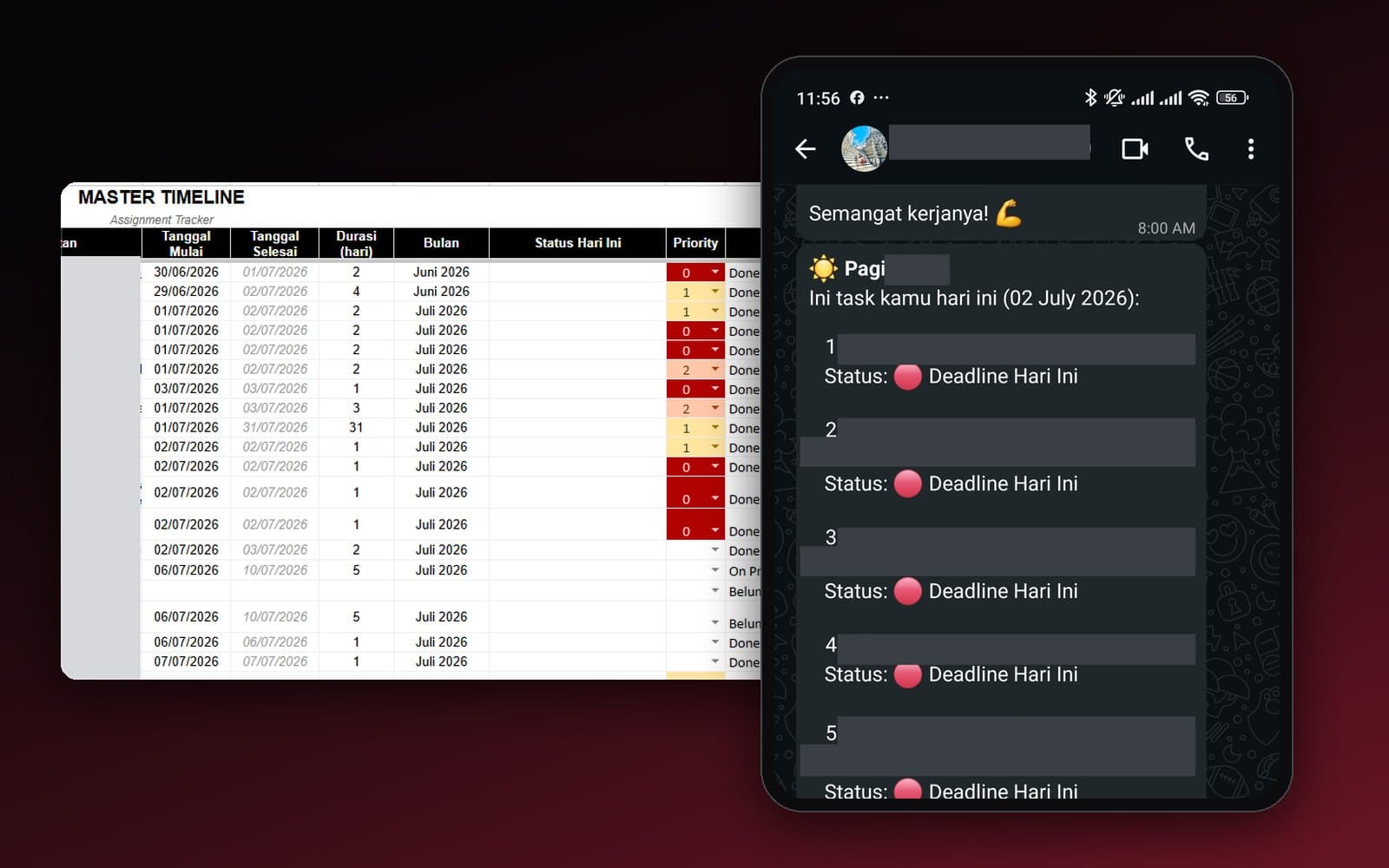
Team Task Reminders Over WhatsApp, Weekly to One-Off, Managed From One Place
Weekly, monthly, and one-off task reminders sent automatically to the team's WhatsApp every morning, with settings the team can change themselves in the sheet, no developer needed.
Read case study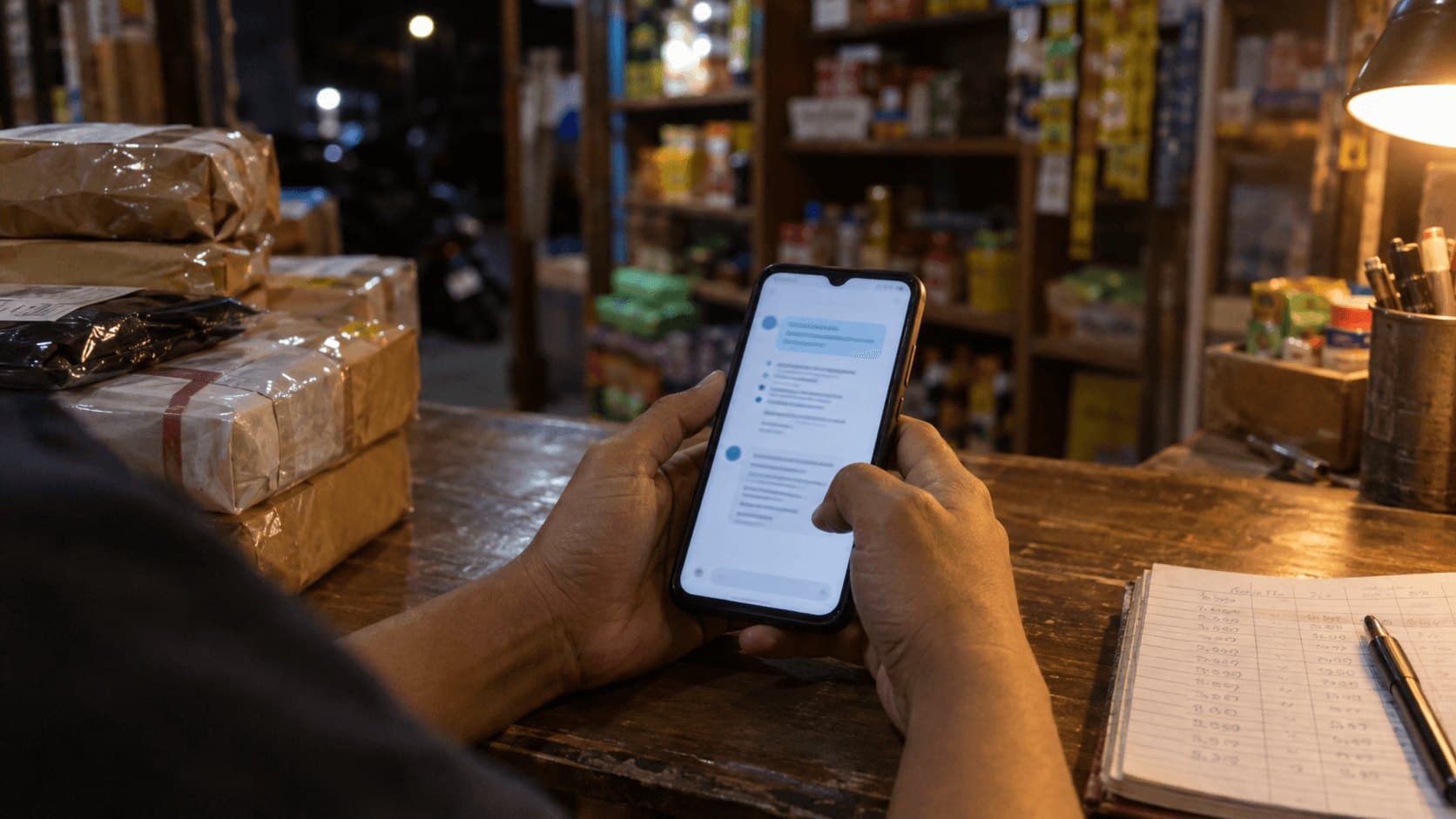 AI & Automation
Retail business
Thousands of WhatsApp Chats, a Two-Person Team: Letting the Owner Monitor Without Reading Everything
The owner gets an automatic recap every night at 9pm covering closed deals, complaints, and follow-ups, without reading every chat one by one.
Read case study