From Google Sheets to a Booking and Order Tracking System for a Ceramic Coating Shop
Case study of a website and booking system for a car ceramic coating shop: from manual Google Sheets to an admin panel, real-time order tracking, and WhatsApp notifications.
- Client
- Car ceramic coating shop
- Role
- Full Stack Developer (AI-Assisted)
- Tools
- Laravel, MySQL, WhatsApp
- Duration
- 1.5 months
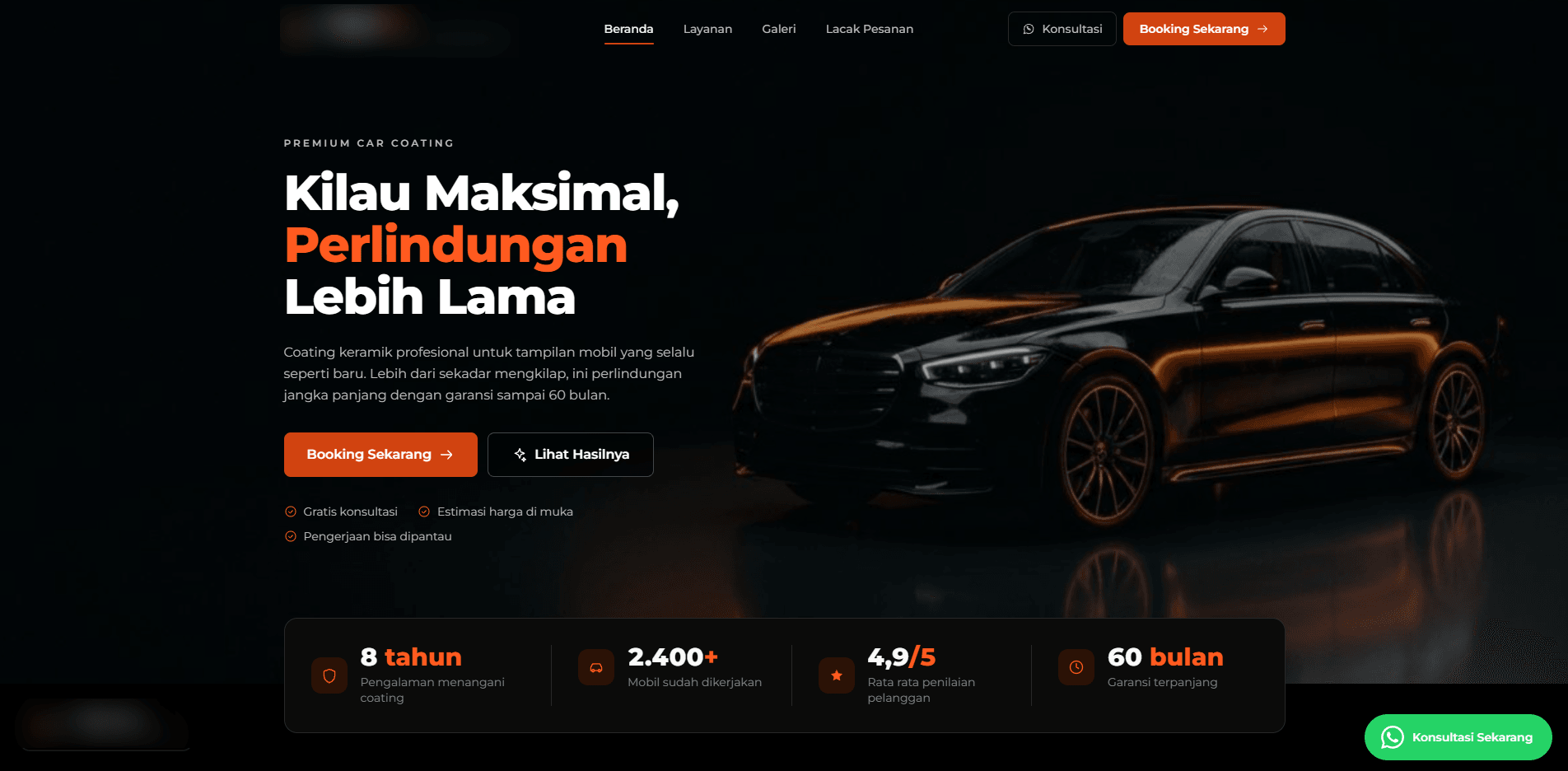
This ceramic coating shop used to run the way most small to medium shops do: every booking and customer record kept in a plain Google Sheet. The trouble started once orders picked up and each car went through several work stages that took a few days to finish. Customers had to call or message repeatedly just to ask about progress, and the admin had to dig through the sheet before they could answer.
I built the website and its booking system from scratch on Laravel, doing the development end to end over 1.5 months. There's now a public booking page, an order tracking page customers can open themselves, and an admin panel to manage all of it in one place.
The problem: Google Sheets stops being enough once orders have stages
- Every booking and customer record piled up in one sheet, easy to turn messy once the volume grew.
- The six work stages (car received, wash and decontamination, coating, curing, QC check, ready for pickup) had nowhere to be shown to customers.
- Customers had to call or message the admin just to ask "how far along is it," and the admin had to check manually before replying.
The approach: one system, from booking to pickup
- 1Booking comes inThrough the public website, with an upfront price estimate
- 2Admin updates the stageLogged in the admin panel each time work moves to the next stage
- 3Order tracking updates itselfCustomers see the latest progress without asking the admin
- 4WhatsApp notificationWhen the car is ready for pickup or needs a reminder
What I built
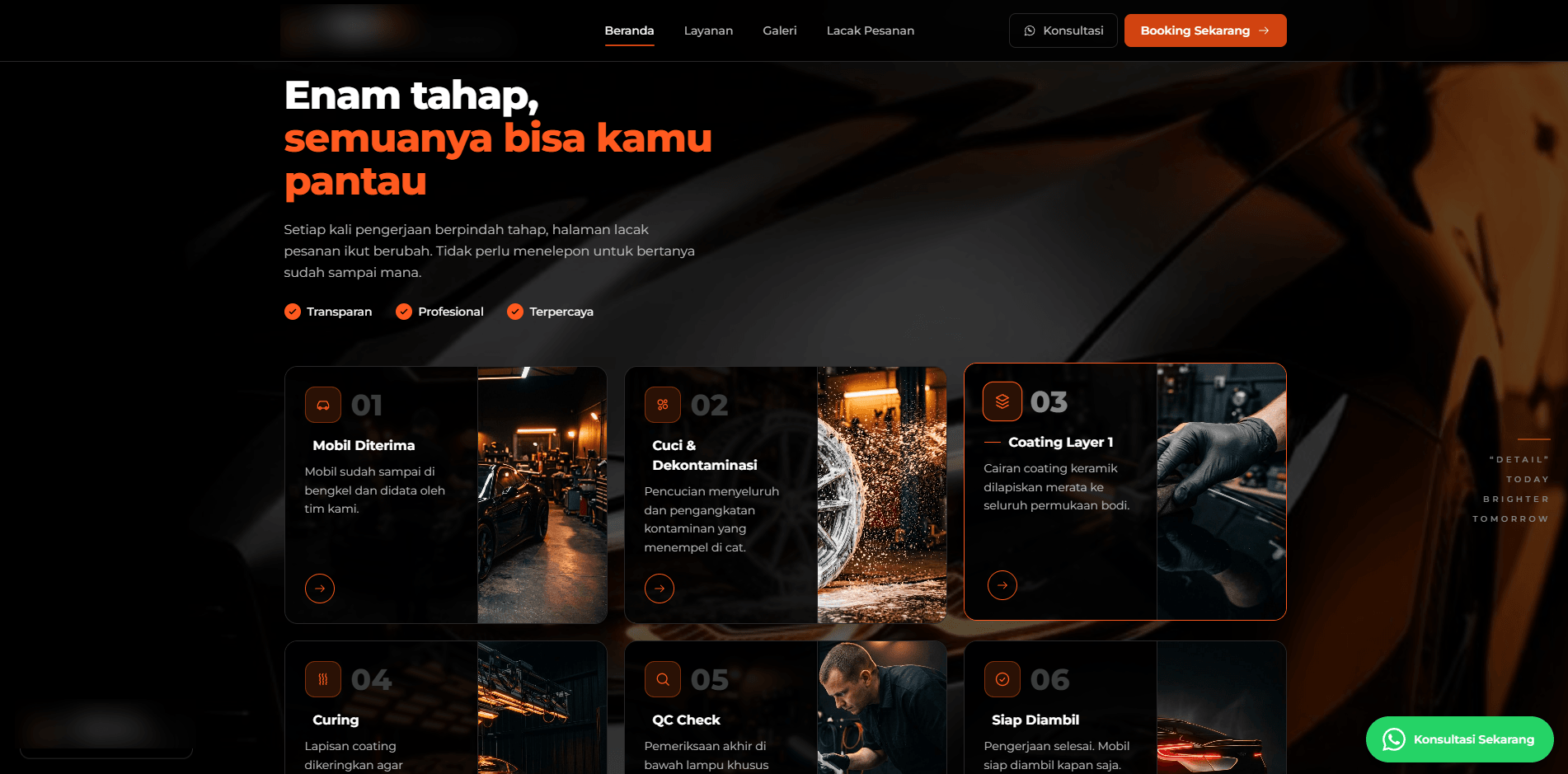
Six stages customers can follow
On the public website, the shop's workflow is explained as six sequential stages. This isn't just an information page, these same stages later show up on the customer's own order tracking page.
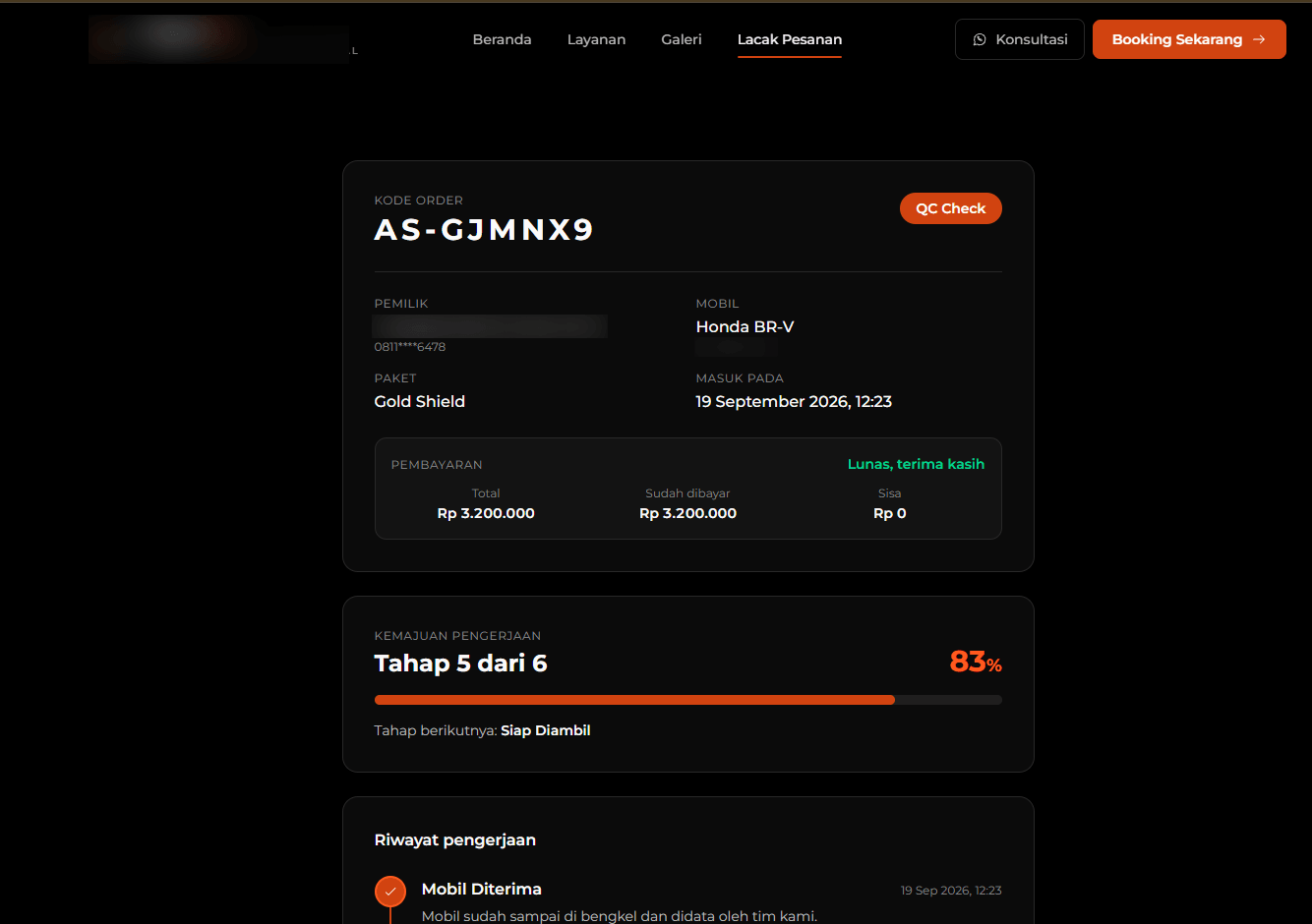
Order tracking, no phone call needed
Customers just open their order code's link to see payment status, progress percentage, and a full work history with the technician's notes at each stage. The page checks for updates automatically every 15 seconds.
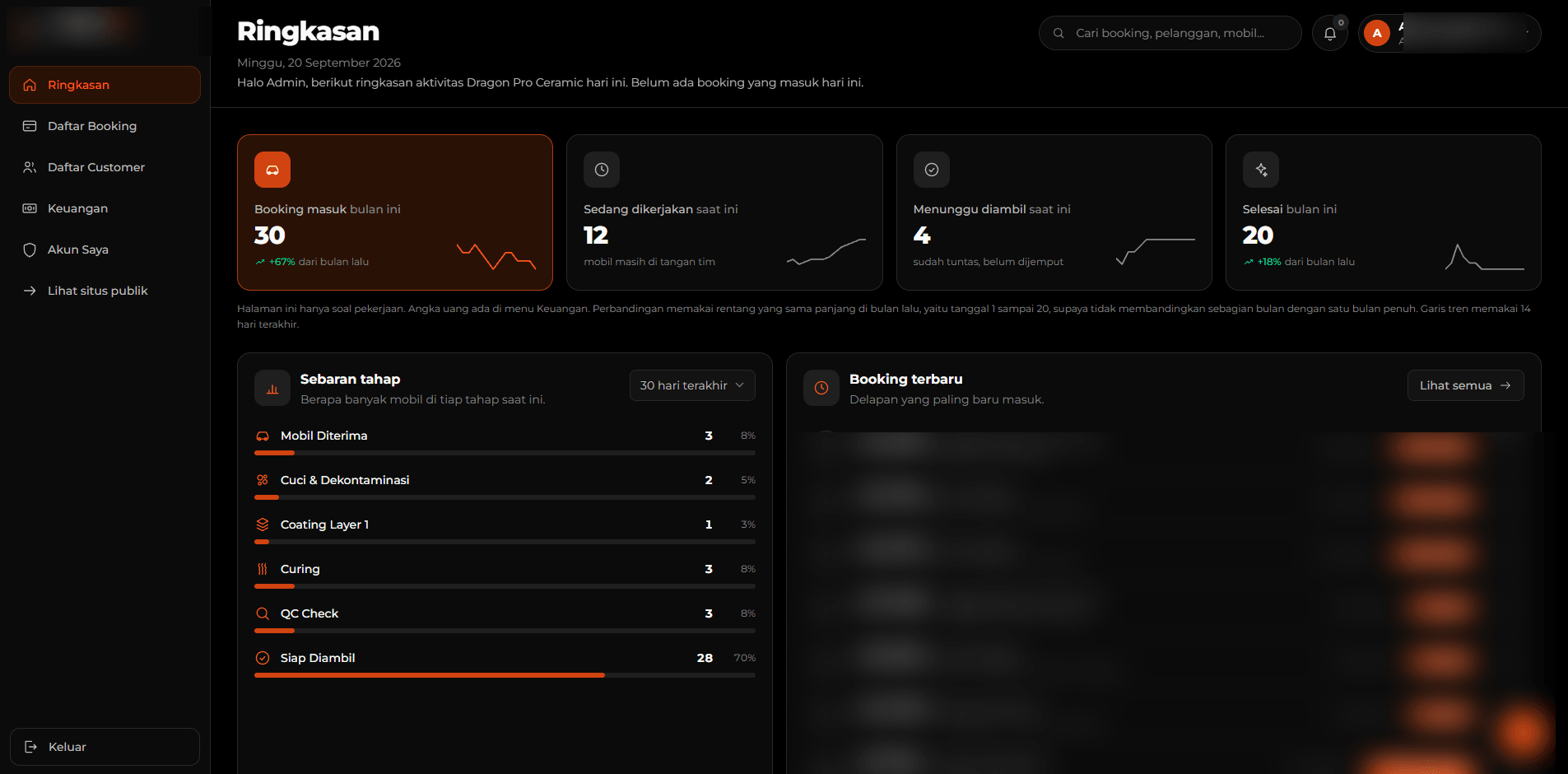
An admin panel to manage everything
The admin gets a summary of bookings coming in this month, what's currently being worked on, what's waiting for pickup, and how cars are distributed across stages, all on one page.
Every booking's detail, from payment to WhatsApp
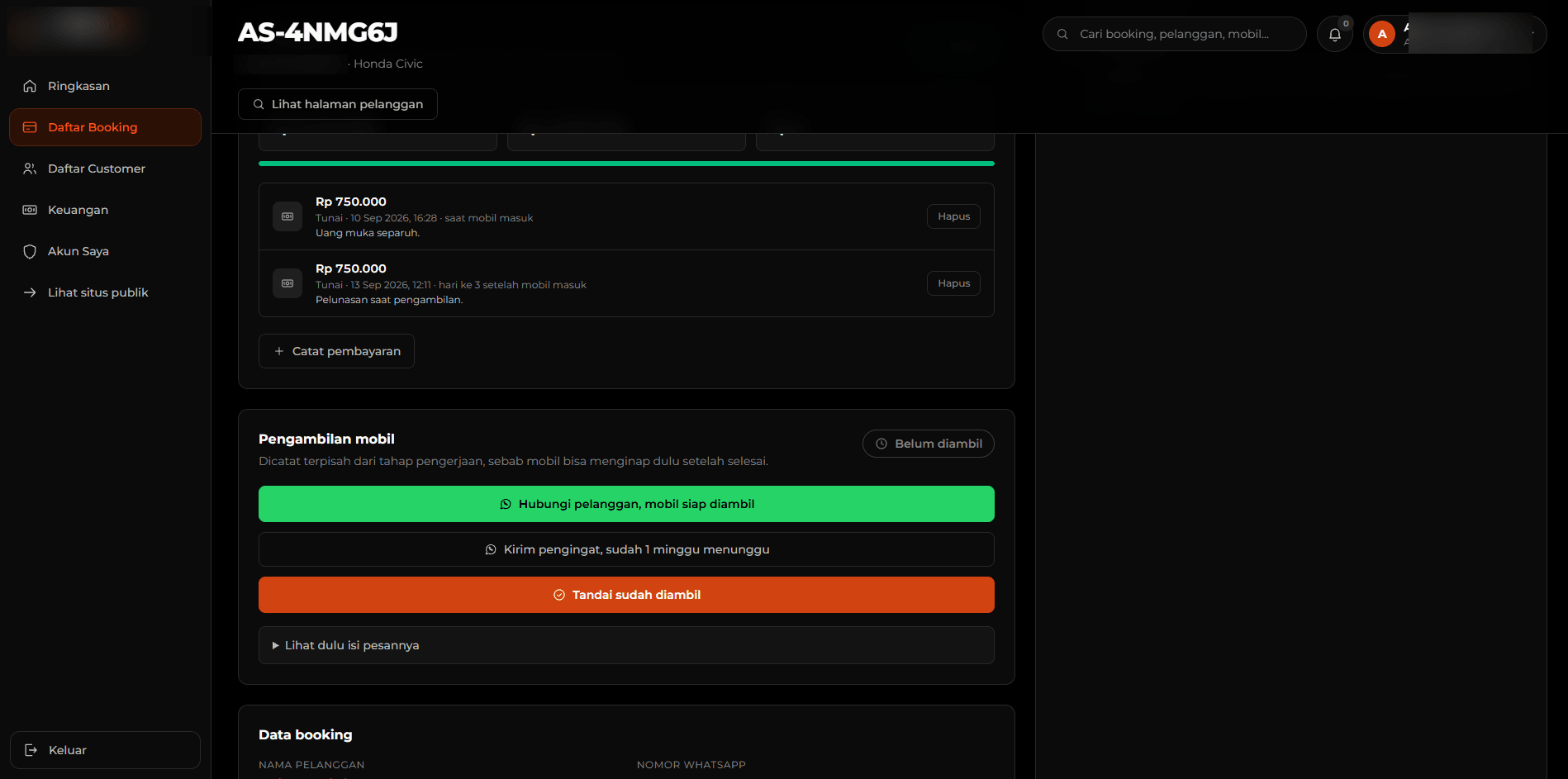
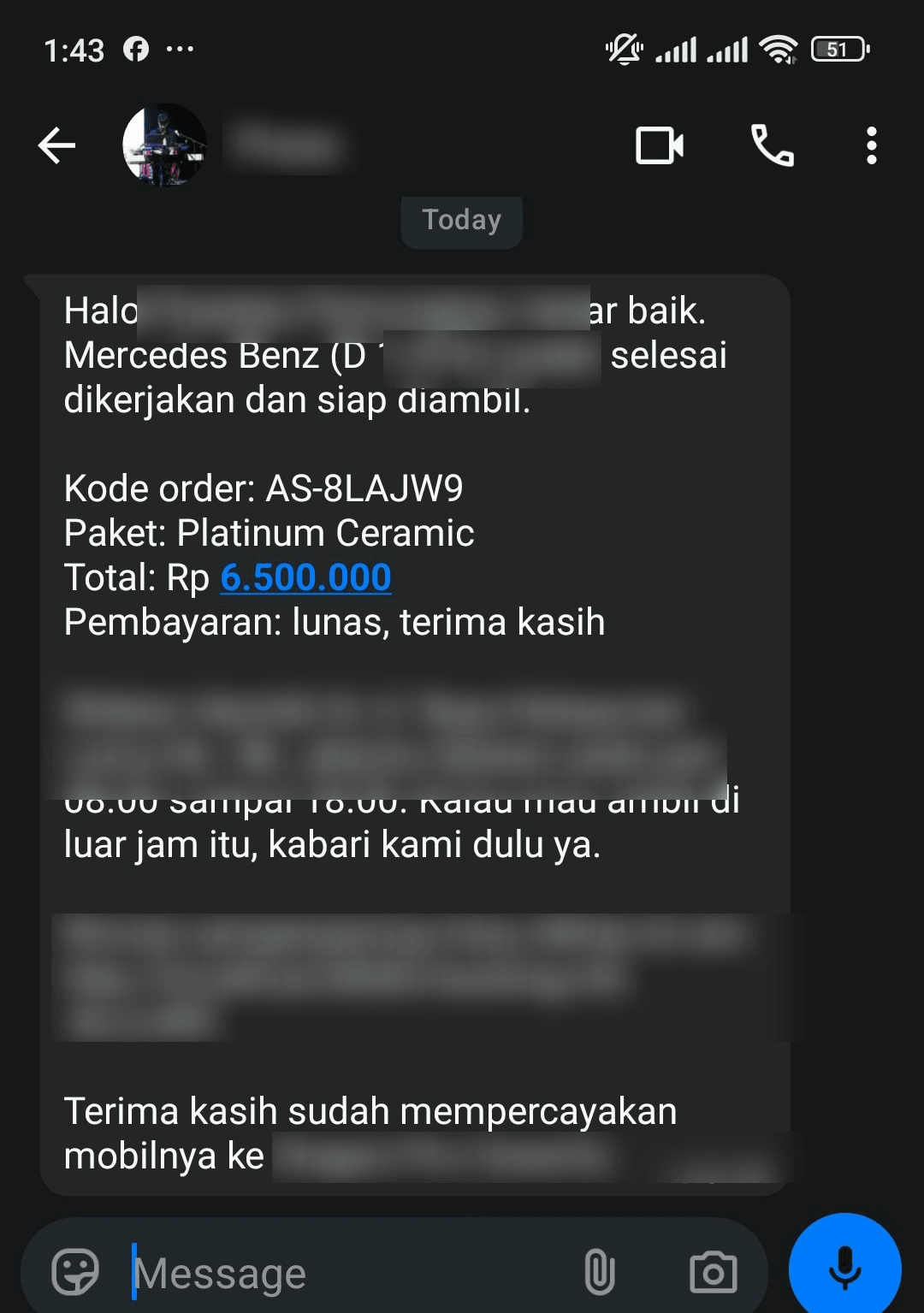
Every booking has its own detail page: a payment log (payments can be split, each cash, QRIS, or transfer payment logged manually, not through a payment gateway) and a button to send a template WhatsApp message to the customer, for example when the car is ready for pickup or hasn't been picked up in a while.
Once that button is clicked, the message is ready to send on the customer's WhatsApp, complete with the order code, package, total, and pickup location.
Results
Before
- Every booking and customer record kept manually in Google Sheets
- Customers called or messaged the admin just to ask about progress
- The admin had to check manually before replying
After
- Booking, work progress, and payments all live in one system
- Customers open a link to see their own progress, in real time
- A WhatsApp notification goes out when the car is ready for pickup
- Development from zero to live
- 1.5 months
- Work stages customers can track themselves
- 6 stages
- How often the order tracking page checks for updates
- 15 seconds
Wrapping up
This is a real example of what I wrote about in Instead of Stacking CRM and POS Subscriptions, Investing in Your Own Website Can Make More Sense: a business that runs on projects lasting weeks, like ceramic coating, gets a direct benefit from an order-tracking feature that's part of its own website, instead of renting it from someone else's tools.
Is your team still doing something by hand?
Tell me about it, and let's find the fix together.
More case studies
 AI & Automation
Social media agency
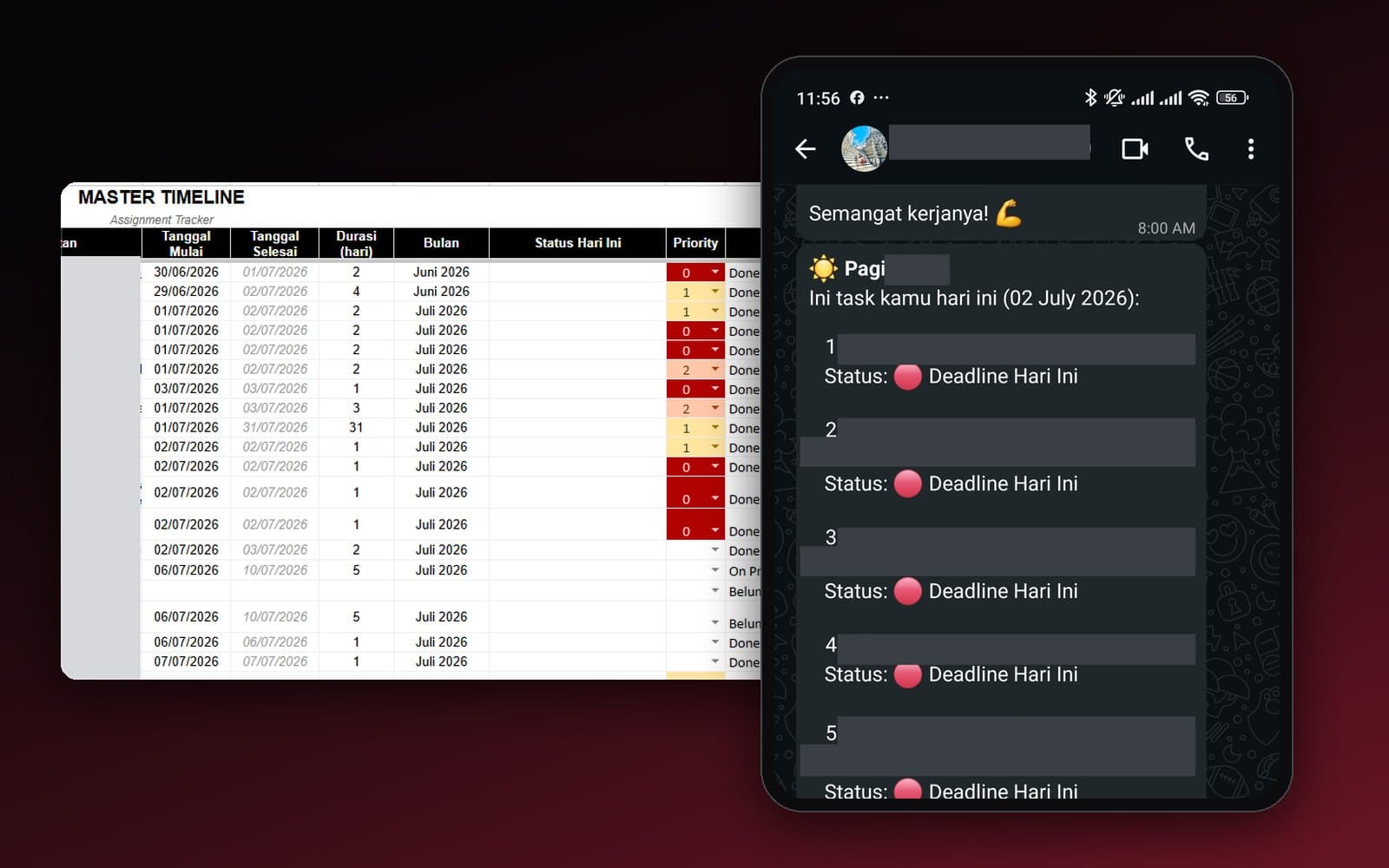
Team Task Reminders Over WhatsApp, Weekly to One-Off, Managed From One Place
Weekly, monthly, and one-off task reminders sent automatically to the team's WhatsApp every morning, with settings the team can change themselves in the sheet, no developer needed.
Read case study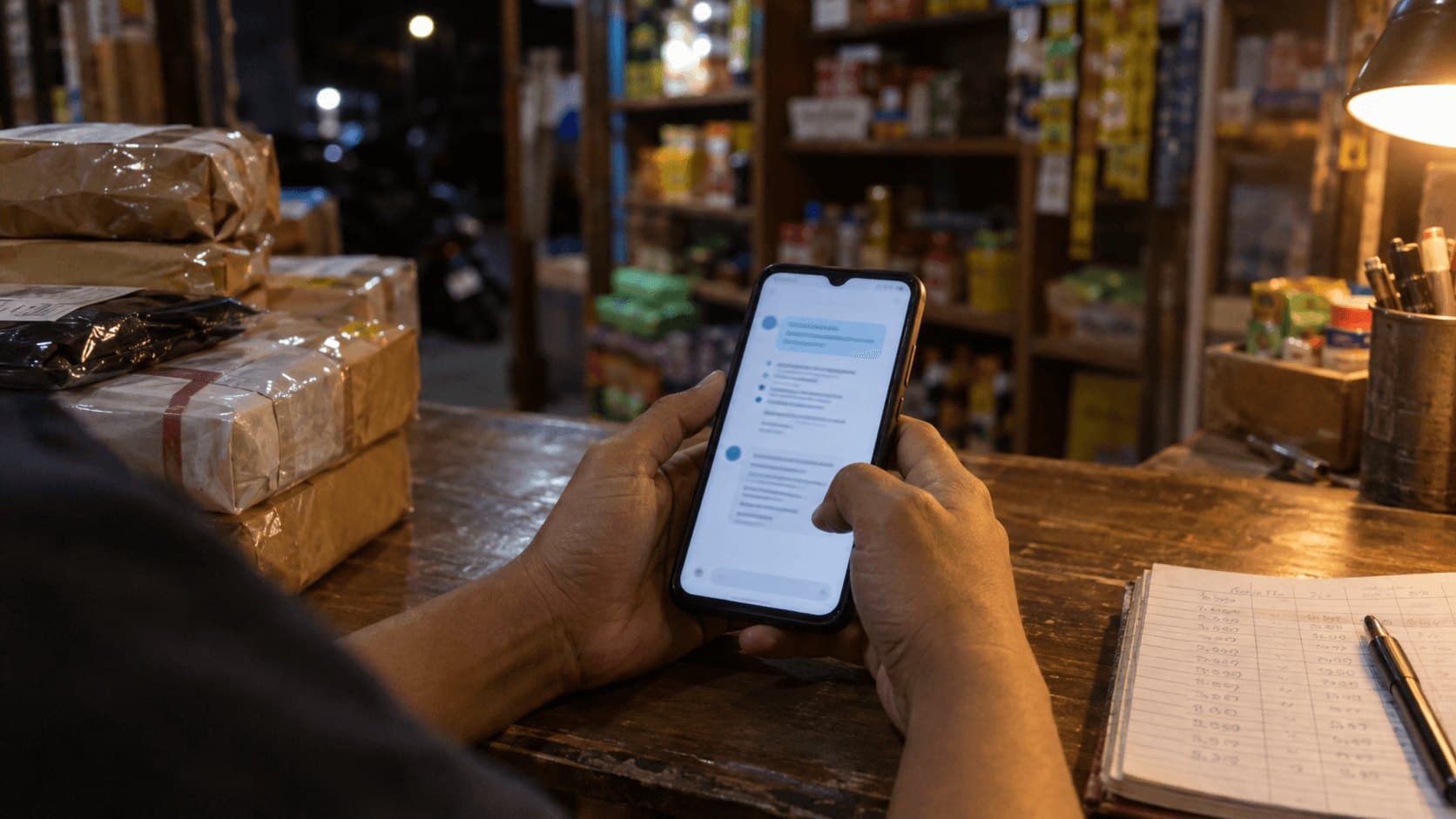 AI & Automation
Retail business
Thousands of WhatsApp Chats, a Two-Person Team: Letting the Owner Monitor Without Reading Everything
The owner gets an automatic recap every night at 9pm covering closed deals, complaints, and follow-ups, without reading every chat one by one.
Read case study